
Why Static Diagrams Are Holding You Back
Geometry is often the stumbling block for students preparing for the 11+ entrance exams or GCSE Maths. The problem isn’t usually the arithmetic; it’s the visualisation.
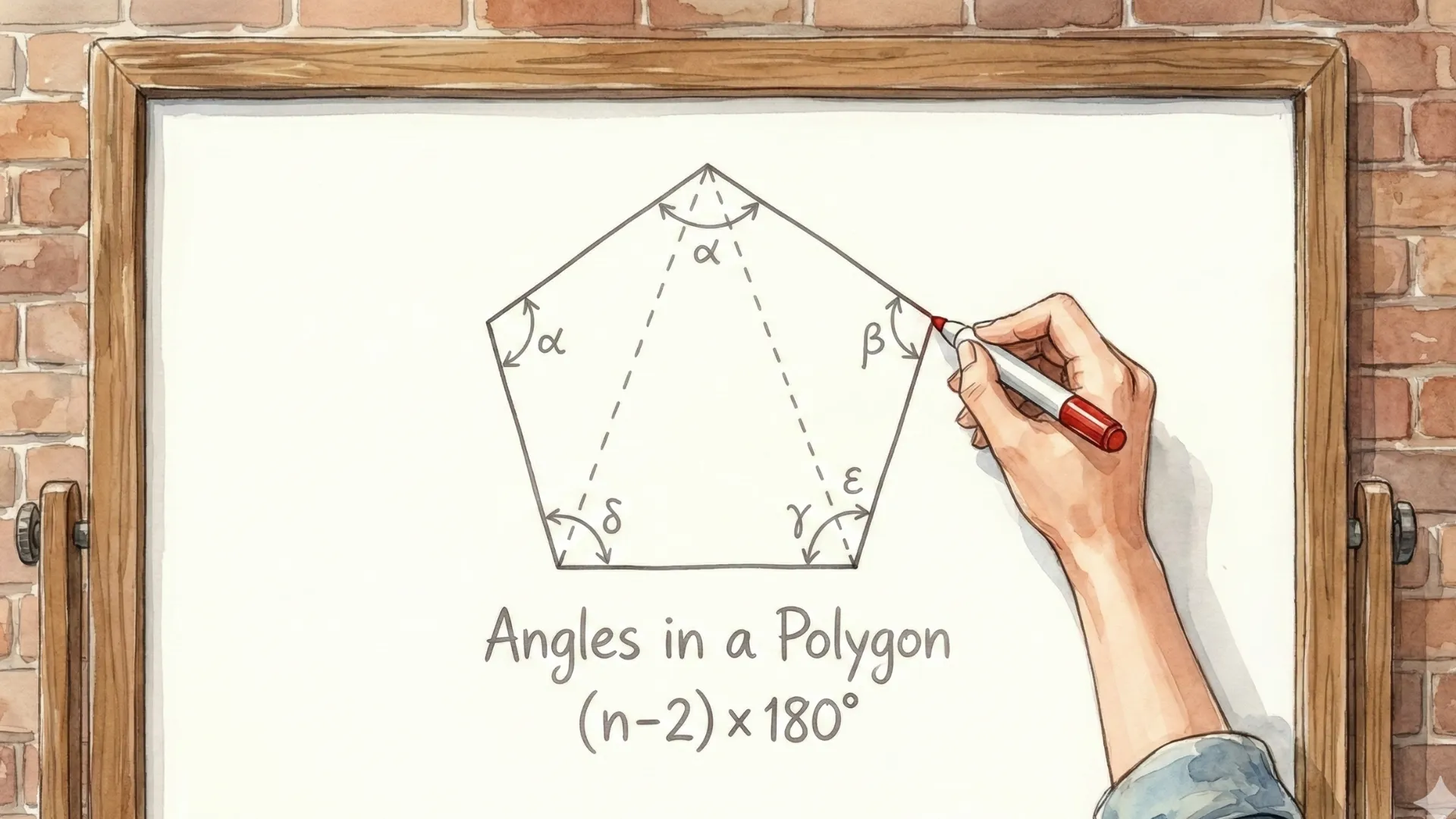
Textbooks are static. When you look at a diagram of parallel lines or a polygon on a page, the angles are frozen in time. This makes it difficult to understand dynamic relationships—like how increasing one angle forces its neighbour to shrink, or how a shape changes when you add more sides.
At Singapore Maths Academy, we believe in learning by doing. We have developed three free digital maths manipulatives designed to turn abstract rules into intuitive understanding.
Here is how you can use these tools to master angles, avoid common pitfalls, and ace your exams.
1. The Foundation: Angles on a Line & Around a Point
Best for: Key Stage 2, 11+ Prep, and GCSE Foundation.
Before you tackle complex shapes, you need to master the basics: the “Straight Line” rule ($180^\circ$) and the “Full Turn” ($360^\circ$). Students often memorise these numbers without understanding the spatial relationship.
How our tool helps:
Our Angles on a Line & Point App allows you to drag interactive arms to resize angles in real-time.
- Visualise the Maths: Watch the “missing slice” grow and shrink.
- Prove the Rule: No matter how you move the lines, the equation updates instantly to prove the sum remains constant.
- Master Vertically Opposite Angles: See how moving one line instantly forces the opposite angle to match it—a key concept for solving “X” angle problems.
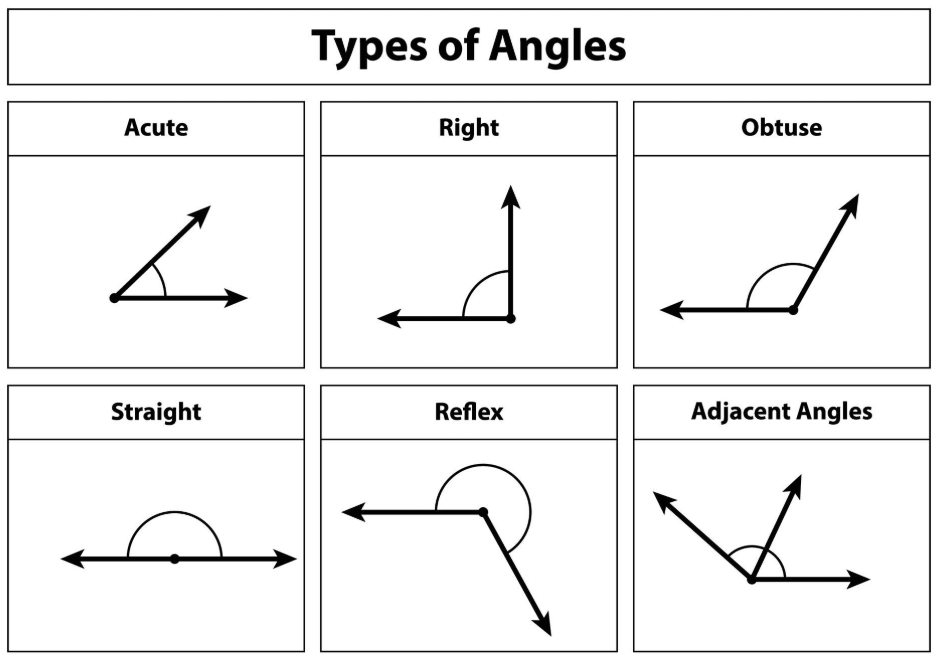
Common Pitfall Avoided: Students often mistake vertically opposite angles for angles on a straight line. By interacting with the tool, the visual difference becomes obvious.
👉 Try the Angles Manipulative Here
2. The Tricky Part: Parallel Lines (Z, F, and C Angles)
Best for: GCSE Maths (Foundation & Higher) and advanced 11+ questions.
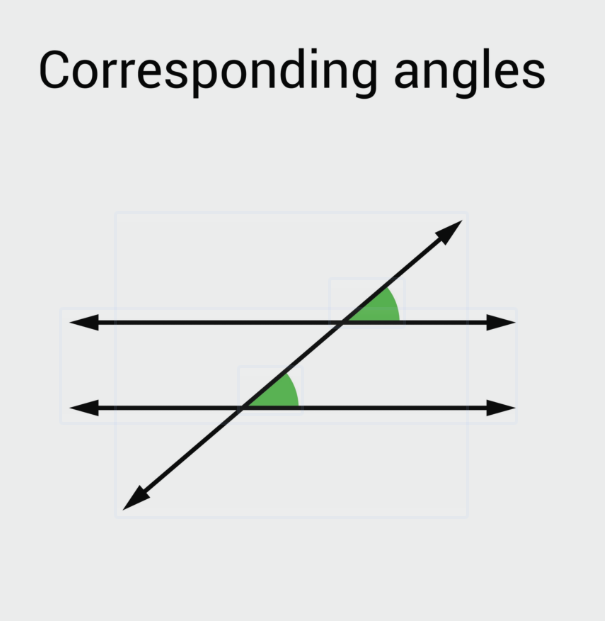
Parallel lines are notorious for confusing students. It is easy to mix up Alternate (Z), Corresponding (F), and Co-Interior (C) angles when the diagram is rotated or messy.
How our tool helps:
We created the Parallel Lines App to fix this.
- Highlight the Shapes: The app overlays the actual “Z”, “F”, or “C” shape onto the angles, helping your brain recognise the pattern even in complex exam questions.
- Interactive Transversal: Drag the cutting line (the transversal) to see how an acute angle transforms into an obtuse one, and watch its partner angle change in perfect sync.
- Quiz Mode: Toggle the quiz feature to hide one angle and test your ability to calculate the missing value.
Common Pitfall Avoided: A classic mistake is thinking Co-Interior angles are equal (like Z and F angles). This tool clearly shows that Co-Interior angles add up to 180° visually distinguishing them from the others.
3. Advanced Shapes: Interior & Exterior Angles of Polygons
Best for: GCSE Maths and Year 6 Mastery.
“What is the sum of interior angles in a decagon?” If you are relying solely on memorising the formula (n-2) x 180, you might panic in an exam if you forget it. Visualising why the formula works is much more powerful.
How our tool helps:
The Polygon Angles App lets you change the number of sides on a shape dynamically.
- See the Exterior Sum: Watch as the exterior angles always fit together to make a perfect circle (360°), regardless of whether it’s a triangle or an octagon.
- Regular vs. Irregular: Understand the difference between shapes with equal sides/angles and those without.
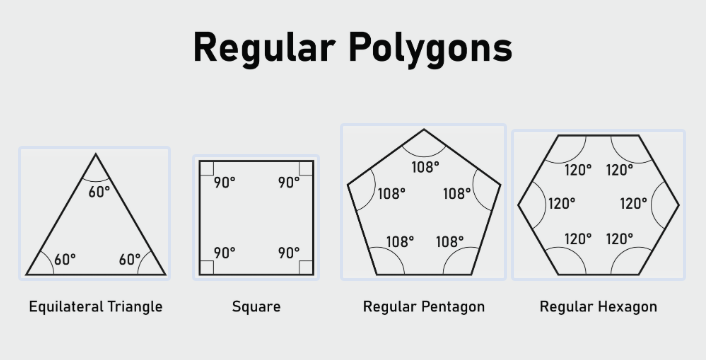
Common Pitfall Avoided: Students frequently forget that the exterior angle sum is always 360°, regardless of the shape size. This tool makes that rule visually unforgettable.
How to Use These Tools for Exam Revision
To get the most out of these apps for your 11+ or GCSE revision:
- Play First: Spend 5 minutes dragging the handles. Predict what will happen to angle B when you move angle A.
- Quiz Yourself: Use the “Quiz” toggle on the apps. Solve the problem on paper, then type it in to check your answer.
- Apply to Paper: Once you have mastered the screen, try our Maths Challenges. Can you apply the visual rules to written problems?
Ready to explore more? Check out our full suite of Digital Maths Manipulatives to make maths revision interactive, engaging, and effective.